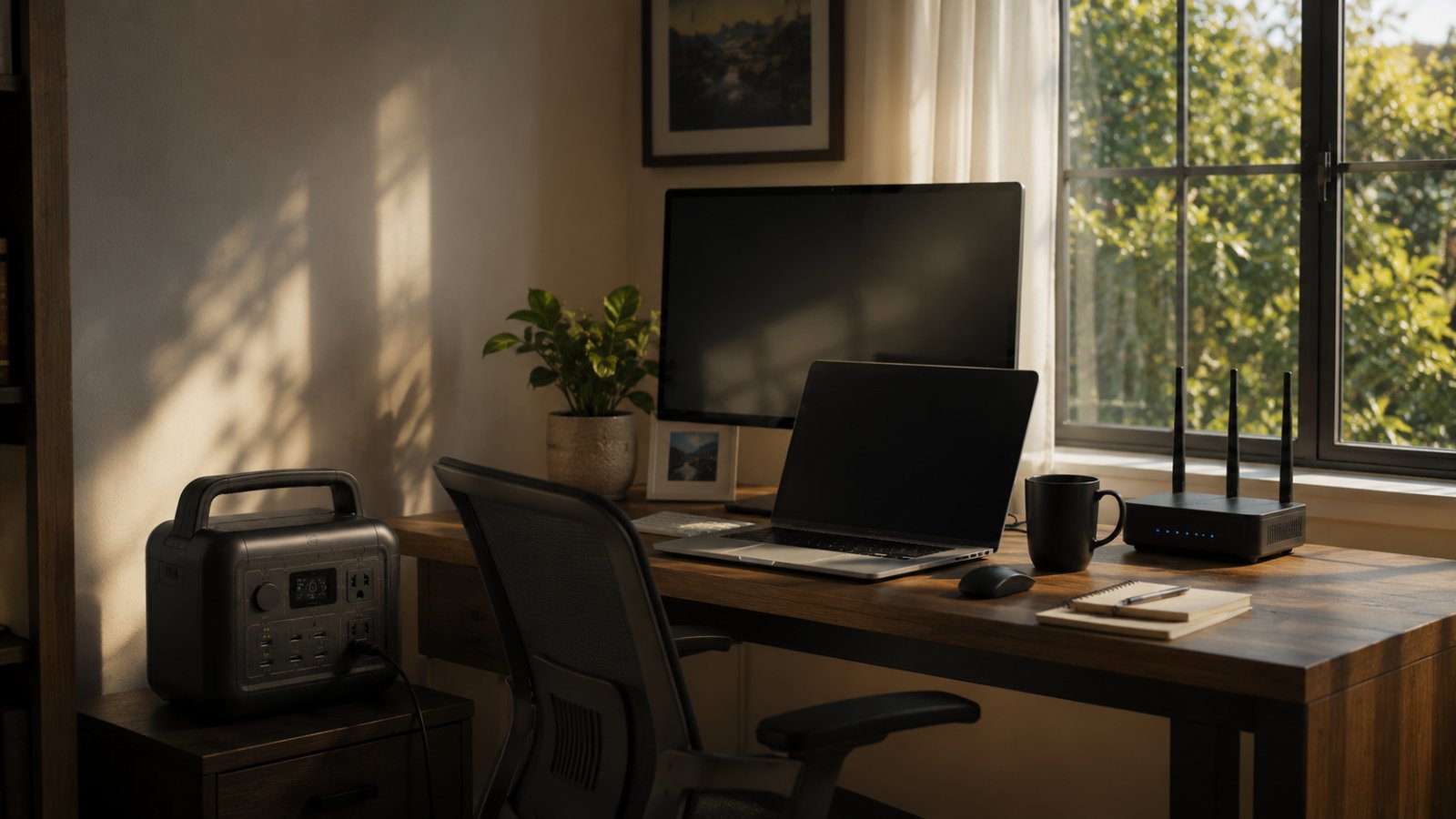
Best Power Station for Home Office and Remote Work (2026)
When you work from home, a power outage isn’t a cozy candlelit evening — it’s a dropped video call, a lost document, and a scramble to find a coffee shop with Wi-Fi. A power station keeps your home office running silently through outages: your computer stays on, your monitors don’t blink, the router keeps the internet alive, and you keep working (or at least save your work and log off gracefully). Here are the best power stations for a home office and remote work in 2026.
Quick picks: for most home offices, the Anker SOLIX C1000 is the best pick thanks to its rock-solid UPS mode and fast charging. For value, the EcoFlow Delta 2 covers a full setup affordably, and for a laptop-and-Wi-Fi desk, the compact EcoFlow River 3 Plus is all you need.
Best home office power stations at a glance
|
Power station |
Capacity |
AC output |
UPS switchover |
Best for |
Typical price |
|---|---|---|---|---|---|
|
Anker SOLIX C1000 |
1,056 Wh |
1,800 W |
~20 ms |
Best overall UPS |
~$599–$799 |
|
EcoFlow Delta 2 |
1,024 Wh |
1,800 W |
<30 ms |
Best value |
~$399–$499 |
|
EcoFlow River 3 Plus |
286 Wh |
600 W |
<20 ms |
Best for laptop desk |
~$219–$259 |
|
Jackery Explorer 1000 v2 |
1,070 Wh |
1,500 W |
<20 ms (UPS) |
Best lightweight |
~$500–$600 |
|
EcoFlow River 3 |
245 Wh |
300 W |
<20 ms |
Best compact/budget |
~$199 |
What matters for a home office power station
UPS mode with fast switchover. This is the most important feature. In UPS mode, your gear stays plugged into the station, which is plugged into the wall; when the grid fails, it switches to battery in milliseconds — fast enough that your desktop, monitors, and router keep running without rebooting. Look for switchover under ~20–30 ms. (A desktop PC without battery backup would otherwise shut off instantly, potentially losing your work.)
Clean, pure sine wave power. Sensitive electronics — computers, monitors, networking gear — need clean power. All quality power stations provide pure sine wave output, which is safe for your equipment.
Enough capacity to keep working (or save and log off). Match capacity to your setup and how long you want to run. A laptop and Wi-Fi sip power and run for many hours; a desktop with dual monitors draws more.
Silence. You’re on calls — a power station is silent, unlike a generator, so no one on the Zoom knows your power is out.
Enough output for your setup. A laptop desk needs little; a desktop gaming/workstation with multiple monitors wants an 1,800 W-class unit for headroom.
How much power does a home office use?
A quick reference:
- Laptop: 30–90 W
- Desktop PC (typical): 200–500 W (gaming/workstation more)
- Monitor (each): 30–60 W
- Wi-Fi router + modem: 10–30 W
- Desk lamp, phone charging, peripherals: 20–60 W
A laptop + Wi-Fi + phone totals ~100 W — a small unit runs it for many hours. A desktop + dual monitors + router might draw ~350–500 W, so a 1,000 Wh unit runs it for ~2–3 hours (enough to finish a task or wrap up gracefully), longer if you’re on a laptop.
The best power stations for a home office
Anker SOLIX C1000 — Best overall
The C1000 is the home-office champion. Its ~20 ms UPS switchover is rock-solid — keep your computer, monitors, and router plugged in and they simply never notice an outage — and its 1,056 Wh and 1,800 W output handle a full desktop setup. It recharges fully in under an hour (so it’s ready for the next outage), is well-built, and expands to 2,112 Wh. For serious remote workers who can’t afford downtime, it’s the pick.
Best for: Desktop setups and anyone who needs seamless, reliable uptime.
EcoFlow Delta 2 — Best value
The Delta 2 delivers a full home-office backup at a great price: 1,024 Wh, 1,800 W output, six AC outlets (plug in everything), fast charging, and a UPS mode under 30 ms. It runs a desktop, monitors, and networking gear through outages and doubles as whole-home essentials backup. For most home offices, it’s the best value.
Best for: Full home-office setups on a budget.
EcoFlow River 3 Plus — Best for a laptop desk
If you work on a laptop, you don’t need a big unit. The River 3 Plus (286 Wh, 600 W) keeps a laptop, monitor, Wi-Fi, and phone running for hours, switches over in under 20 ms, and is small enough to sit on your desk. It’s the perfect, affordable safety net for a laptop-based remote worker. See our EcoFlow River 3 Review for the smaller sibling.
Best for: Laptop-based desks and compact setups.
Jackery Explorer 1000 v2 — Best lightweight
The Explorer 1000 v2 offers 1,070 Wh and a UPS mode in a light, simple package. Its 1,500 W output runs a typical home office setup, and Jackery’s ease of use makes it a no-fuss safety net. It’s a great pick if you also want to take it camping on weekends.
Best for: Home offices that double as a portable/camping unit.
EcoFlow River 3 — Best compact and budget
The tiny River 3 (245 Wh, 300 W) is the cheapest way to protect a laptop, Wi-Fi, and phone — the true essentials of staying online during a short outage. At ~$199 and desk-sized, it’s a smart, low-cost insurance policy for remote workers who just need to keep the call going and save their work.
Best for: The tightest budgets and minimal laptop-and-Wi-Fi desks.
Power station vs a traditional desktop UPS
If you’ve used a small desktop UPS (uninterruptible power supply) before, you might wonder how a power station compares. A traditional UPS is a small battery box designed to keep a computer alive for a few minutes — just long enough to save your work and shut down. A power station with UPS mode does the same instant switchover but with vastly more capacity: instead of 5–10 minutes, it runs your setup for hours, and it can power your Wi-Fi, monitors, phone, and even a fridge or lights too.
So a power station is essentially a UPS that also lets you keep working through the outage, not just save and shut down — plus it’s portable and useful for camping, travel, and home backup. For a home office, it’s the more capable and versatile choice, though a tiny desktop UPS remains a cheap option if you only need those few minutes to shut down safely.
Limitations and who this isn’t for
For remote work the goal is usually short-bridge backup — keeping a laptop, monitor, router and maybe a light running through an outage or brownout — not powering a whole office for days. Laser printers and space heaters will overwhelm small units. Size to your actual desk load and desired runtime, and remember a UPS may be a cheaper fit for just protecting a computer.
How we source this guide: capacities, runtimes and prices are drawn from manufacturer documentation and reputable public sources and can change. Always confirm current specifications and pricing on the manufacturer’s website before buying.
Frequently asked questions
What is the best power station for a home office? For most, the Anker SOLIX C1000 — its rock-solid ~20 ms UPS mode keeps a desktop, monitors, and router running seamlessly through outages, and it recharges fast. The EcoFlow Delta 2 is the value pick, and the River 3 Plus is ideal for a laptop desk.
Will a power station keep my computer on during an outage? Yes, if it has UPS mode. Keep your computer plugged into the station and the station into the wall; when the grid fails, it switches to battery in milliseconds, so your desktop stays on without rebooting or losing your work.
What size power station do I need for a home office? A laptop, monitor, and Wi-Fi need only a small 250–500 Wh unit for hours of runtime. A desktop with dual monitors draws more (350–500 W), so a 1,000 Wh unit with 1,800 W output gives you a few hours plus headroom.
Is a power station better than a UPS for a home office? A power station with UPS mode combines the instant switchover of a traditional UPS with far more capacity and versatility — it runs your gear much longer and can power other things too. For extended outages, it’s more capable than a small desktop UPS.
Can a power station run a desktop PC? Yes. A unit with 1,800 W output (like the Anker C1000 or EcoFlow Delta 2) runs a desktop PC and monitors easily. A 1,000 Wh capacity gives roughly 2–3 hours for a typical setup — enough to keep working or save and log off.
Can a power station replace a UPS for my computer? Yes, and it does more — a power station with UPS mode provides the same instant switchover as a traditional UPS but runs your computer, monitors, and Wi-Fi for hours instead of minutes, and powers other devices too. It’s a more capable, versatile backup for a home office.
How long will a power station keep my home office running? A laptop and Wi-Fi can run for many hours even on a small unit; a desktop with dual monitors (350–500 W) runs 2–3 hours on a 1,000 Wh unit. Enough to finish work or wrap up gracefully — longer with a bigger or expandable unit.
The bottom line
For a home office, the key features are UPS mode (to keep your gear running seamlessly through outages) and clean power (safe for computers). The Anker SOLIX C1000 is the best all-around choice with its rock-solid UPS, the EcoFlow Delta 2 is the value pick for a full setup, and the compact River 3 Plus or River 3 covers a laptop desk for less. Plug your computer, monitors, and router into it, enable UPS mode, and the next outage becomes a non-event — your work, your call, and your internet just keep going.